

The Ultimate Guide to Time Blocking: Boost Your Productivity Today
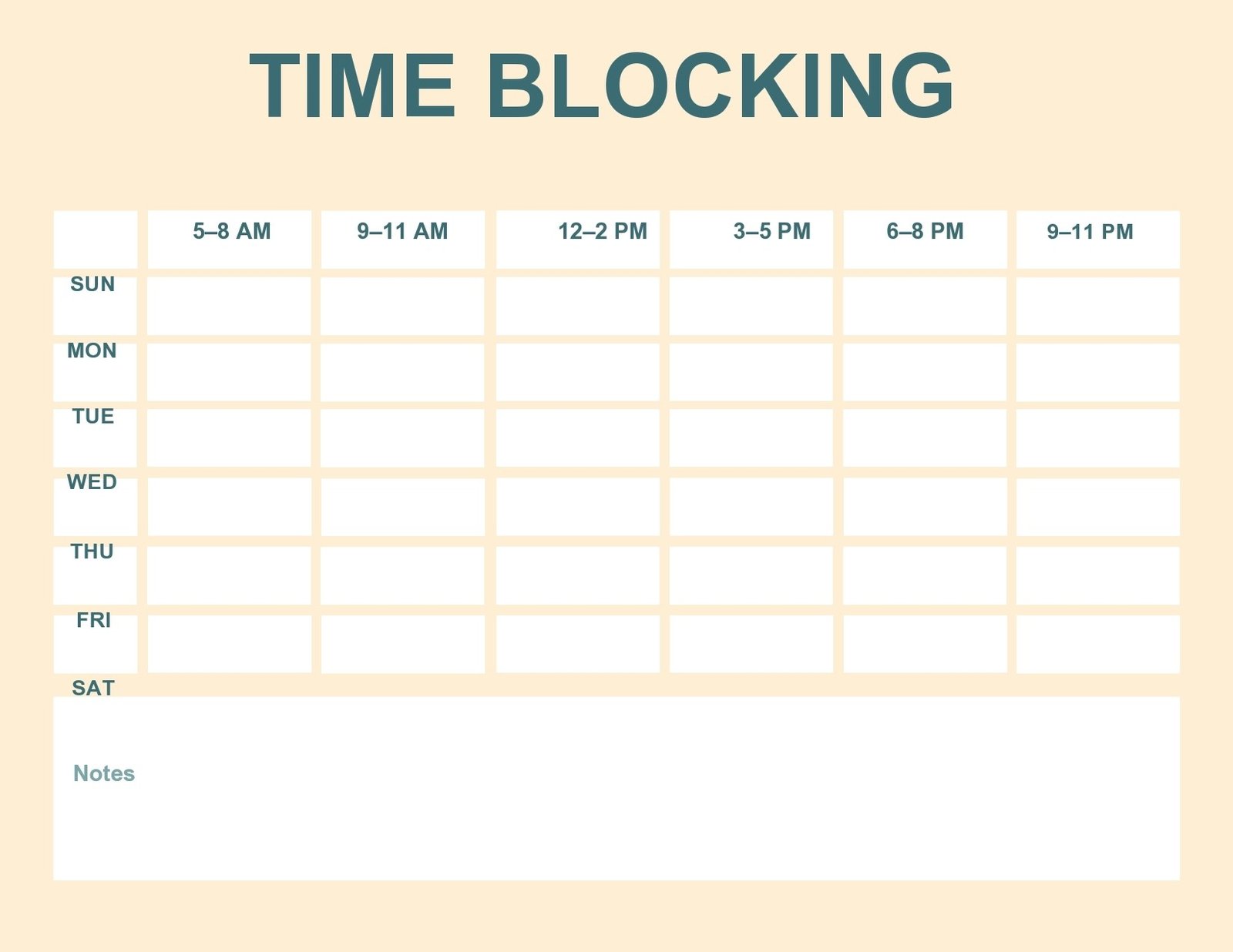
Time blocking is a powerful time management strategy that can transform your daily routine from chaotic to controlled. By dividing your day into specific time blocks, you can focus on what truly matters and significantly boost your productivity. This guide will walk you through everything you need to know to master time blocking, from foundational principles to practical application.
What is Time Blocking?
Time blocking is a scheduling technique where you allocate specific chunks of time on your calendar for particular tasks or activities. Instead of working from a to-do list and deciding what to do next in the moment, you assign each task a specific window on your calendar. For example, you might schedule 9–10 a.m. for checking emails or 10 a.m.–12 p.m. for working on a project.
This method helps you reclaim your day and understand where your time is actually going. By scheduling blocks of work, you ensure you’re completing important tasks while setting aside time for rest and self-care.
How Time Blocking Works
To create a time block, group like tasks and schedule a dedicated window to work on them. There are two fundamentals of time blocking:
Visual Scheduling
Block time on your calendar so your work can’t be interrupted or scheduled over.
Task Grouping
Combine similar tasks into one concentrated block of time.
For example, you might create a one-hour block at 9 a.m. for emails, a block from 10 a.m.–11:30 a.m. for your main project, and another block at 11:30 a.m. for lunch.
By time-blocking, you set aside time blocks for critical work and reduce context switching. Instead of catching up on emails between tasks, you assign specific times to each type of work so you can focus on what matters most.
Time Blocking vs. Other Techniques
Time Blocking vs. Timeboxing
- Time Blocking: Assign a block of time to a set of similar tasks.
- Timeboxing: Assign each individual task its own “box” with a start and end time.
Time Blocking vs. Task Batching
Task batching is an element of time blocking. When you batch tasks, you collect and connect any similar tasks so you can work on them at once. Task batching can help you reduce the amount of time you spend on stray tasks and ad hoc work.
Time Blocking vs. Time Tracking
Time tracking is the process of recording the time you spend on projects, typically for billing purposes. Time blocking can help with time tracking since it gives you clear insight into how long you spent on each initiative. Just make sure you’re sticking to your time blocks, or updating them if something changes.
Why Time Blocking Works
Time blocking is more than organizing your calendar; it’s a strategy for being intentional with your time. When you dedicate specific blocks to focused work, you reduce context switching and give your full attention to what’s in front of you.
Key Benefits of Time Blocking Include:
- Reduced context switching: Stop bouncing between tasks and losing momentum.
- Protected deep work time: Reserve uninterrupted blocks for your most important projects.
- Better visibility: See exactly how you spend your time and identify patterns.
- Burnout prevention: Schedule rest alongside your responsibilities.
Who Should Try Time Blocking?
Time blocking won’t be effective if your calendar is mostly filled with meetings. But if you frequently have chunks of open time, you can use this strategy to better manage your attention and focus.
As Parkinson’s Law states, “work expands so as to fill the time available for its completion.” Time blocking helps you take back control of your calendar by intentionally scheduling work.
Time blocking is particularly useful if:
– You frequently try to multitask
– You need help focusing on one task and reducing distractions
– You want to be intentional about your time and energy at work
– You need a clearer sense of where your time is going each day
– You struggle with overworking
Time Blocking Methods to Try
While the core concept of time blocking is simple, you can adapt it to fit your work style. Here are a few popular methods:
Day Theming
Assign a specific theme or type of work to each day of the week. For example, Mondays could be for planning and meetings, while Tuesdays are reserved for focused creative work.
Task Batching
Group similar small tasks, like answering emails or making phone calls, into a single time block. This reduces the mental load of constantly switching between different types of work.
Energy Management
Schedule your most demanding tasks during the times of day when you have the most energy. Save lower-energy tasks for times when you typically feel a slump.
7 Tips to Start Time Blocking Your Schedule Today
Time blocking is simple in practice, but it can be a tricky strategy to implement and stick to consistently. With these seven tips, you can take charge of your calendar and avoid common pitfalls.
1. Identify What You Need to Work On for the Day
Like most time management strategies, the first step is to identify what you actually need to get done on a given day or week. If you don’t already, practice keeping and updating a to-do list with all of your important work.
Potential pitfall: Even with time blocking, there may be days when you can’t get to all of your work. If you don’t know what to prioritize, you won’t have a clear sense of which tasks you must finish today and what you can defer until tomorrow.
2. Figure Out When You’re Most Productive
Time blocks are helpful on their own, but you can increase their effectiveness by tailoring the work to your productivity preferences. Think about when you feel most productive.
Do you feel energized in the morning? Schedule the work that requires the most energy before lunch. Do you feel sleepy in the early afternoon? Schedule smaller tasks, like answering emails. Do you get a second wind in the late afternoons? Save your important tasks for that period.
Potential pitfall: After you’ve been time blocking for a few days, evaluate how you’re feeling at the end of the day. If you’re feeling drained, you may have misjudged when you’re most productive. Try rescheduling your work blocks to see if that helps.
3. Group Meetings, If Possible
You may have meetings scattered throughout the day, which could be hampering your productivity. At Asana, we call this a Swiss cheese schedule. Scattered meetings make your daily schedule hard to work around and constantly interrupt your focus.
Instead of scattering meetings throughout the day, aim for a block of meetings that are relatively close together, with a few breaks in between. Or consider investing in a tool that automatically monitors this for you, like Clockwise.
Potential pitfall: There will be instances when meetings are scheduled outside of your ideal meeting time block. That’s OK. Time blocking is a strategy to help you be intentional about your time, but it won’t make your entire day fit into a perfect schedule.
4. Schedule Your Time Blocks
Once you know when you’re most productive, it’s time to schedule the rest of your time blocks. Think through your priorities for the day and schedule dedicated focus time for each batch of tasks in your calendar.
We recommend labeling each time block on your calendar. For example, you might have “Focus time” in the morning, “Personal time” during lunch, and “Do not schedule, work block” in the afternoon for deep work. This helps team members know which blocks they can schedule over if necessary.
Potential pitfall: If your entire calendar is fully scheduled, it can be difficult for team members to schedule last-minute meetings or get a hold of you for important chats. By clarifying what type of time block you’ve scheduled, team members can feel more empowered to reach you when needed.
5. Block Off Personal Time
Time blocking isn’t just about scheduling your work tasks; you should also schedule downtime every day. In addition to scheduling lunch, give yourself quick breaks for personal time, everyday activities, or daily tasks like picking your kids up from school.
Potential pitfall: Not every personal time block needs a purpose. Consider leaving a personal time block open so you can decide on the spot if you want to take a walk, check social media, or call your mom. There are no wrong answers (we won’t tell your mom).
6. Allow for Unexpected Interruptions or Work
Time blocking fails when you don’t have room for surprises, like unexpected tasks or last-minute meetings during an important focus block. You want to be able to engage with these without totally derailing your day.
If these situations frequently come up at work, dedicate an afternoon time block to flexible time. That way, you already have a block for unexpected tasks, or you can move interrupted work to your flexible afternoon block.
Potential pitfall: Make sure any new task that crops up is higher priority than what you’re currently working on. Unexpected work often feels urgent, but that doesn’t mean it’s more important. Always remember your work priorities, then rearrange your schedule accordingly.
7. Plan for Lost Time
Even the most effective time blocker will lose time during the day. You might need to check a Slack message, answer a phone call, or get distracted by a roommate, child, or pet. This is natural, and OK.
Consider dedicating certain time blocks for focus work and others for deep work. When you’re checking your email and going through daily tasks, you can be interrupted. But if you schedule a block for deep work, consider snoozing all notifications and turning on “Do Not Disturb” mode.
Potential pitfall: It might take a while to figure out the best strategy to minimize distractions. Keep adjusting your time blocks as necessary. Over time, you might find that you lose less time with this technique.
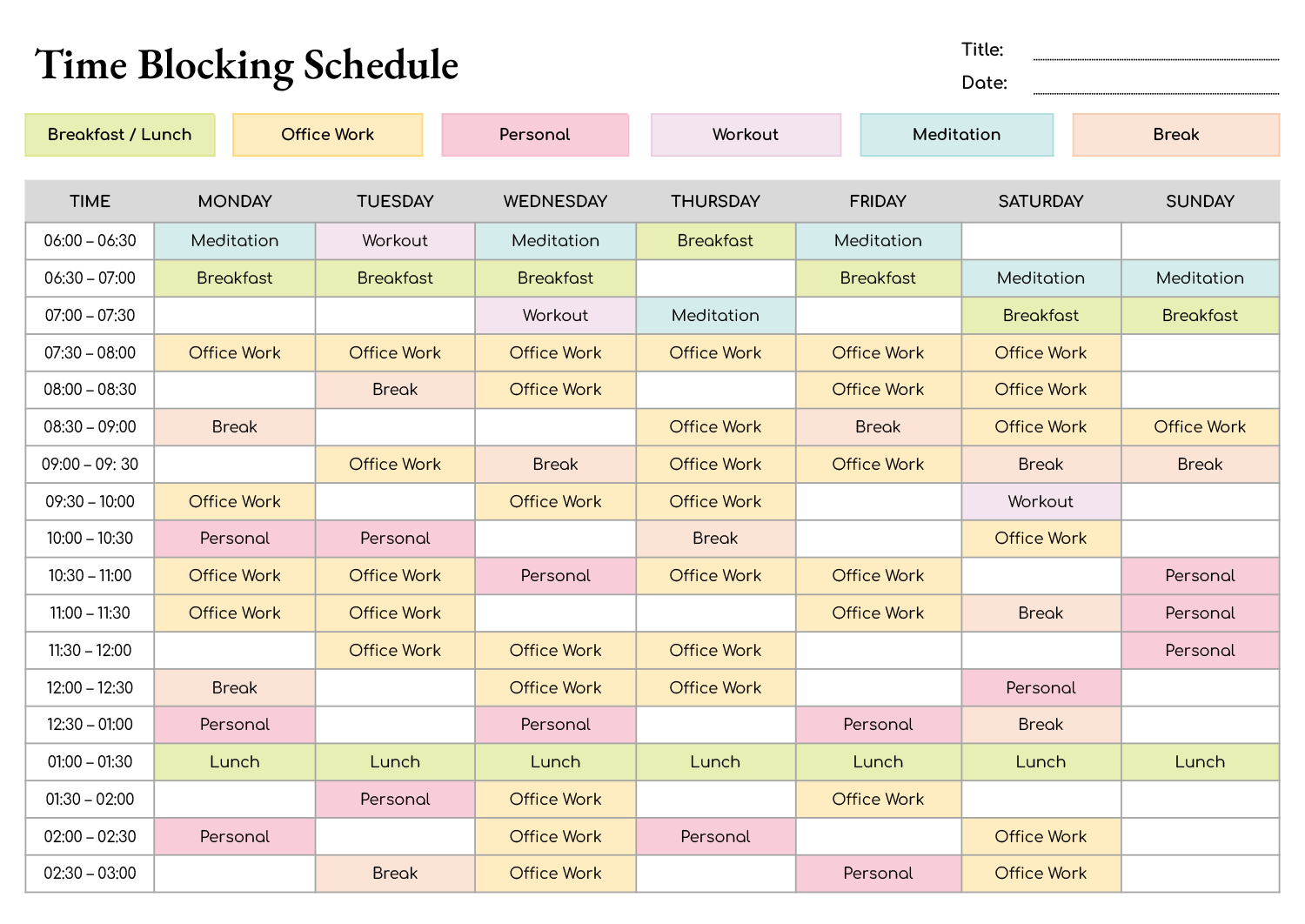
Time Blocking Example
Every person’s calendar is different, so every time the blocked calendar will be slightly different, too. But if you implement the seven strategies above, here’s what your calendar might look like:
How Time Blocking Helps You Reclaim Your Day
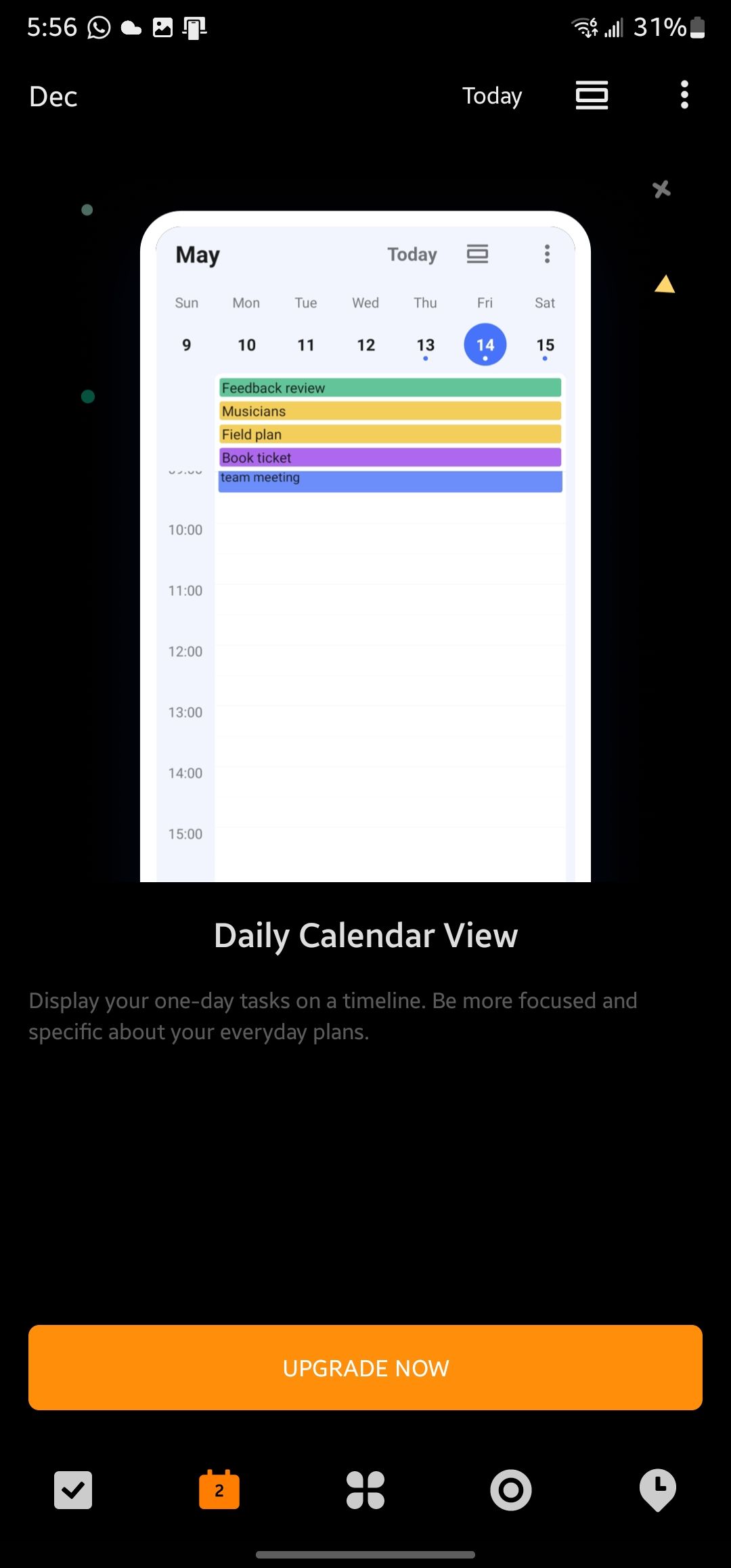
Time blocking helps you be more intentional with your time. By dedicating specific blocks to important work, you can focus on getting things done rather than wasting energy on multitasking and procrastination.
When you have a clear plan for your day, you can work more effectively and protect time for rest. To put these tips into practice and organize your time blocks alongside your team’s projects and goals, get started with Asana.
Frequently Asked Questions About Time Blocking
Is Your Day a Whirlwind of Tasks, Deadlines, and Distractions?
Are you struggling to make the most of your time?
Enter time blocking — the ultimate productivity hack.
Time blocking is a technique for managing time effectively and optimizing productivity. In a world where distractions abound and time seems to slip away quickly, time blocking provides a structured approach to organizing and allocating time for tasks.
In this article, we delve into the concept of time blocking, explore its benefits, and provide practical tips on implementing it. Say goodbye to chaotic daily schedules and hello to focused, intentional work with this comprehensive guide.
What is Time Blocking?
Time blocking is a time management method in which you break your day down into specific time blocks, each dedicated to a particular task, activity, or appointment.
It involves scheduling your day in advance and allocating specific time slots for various activities. Doing this lets you prioritize your tasks and ensure that you have enough time to complete them all.
Time Blocking vs. Other Time Management Techniques
There are many productivity techniques that you can use to manage your time effectively. Time blocking is just one of them.
While a lot of them share similarities, they have different approaches and offer different levels of flexibility.
Time Blocking
With time blocking, you schedule chunks of time on your calendar for specific tasks or activities. It involves setting aside dedicated time slots for specific activities, appointments, or tasks and allocating them on your calendar.
During those designated time blocks, you focus solely on the task or activity that you’ve scheduled without allowing yourself to get interrupted or distracted.
Time blocking is used to create a structured and organized approach to managing time. It can help you prioritize tasks and ensure you have enough time for the things that really matter.
Timeboxing
Timeboxing, on the other hand, is a time management strategy in which you set a fixed amount of time to work on a task or activity. You may or may not complete it during that “box” of time. The point is to set boundaries so any one activity doesn’t use up more of your time than it should.
It involves setting a predetermined time limit for a task, working on that task until the time is up, and moving on to the next task or activity whether you’ve finished the initial one or not.
Timeboxing is often used to create a sense of urgency and focus. It encourages people to work efficiently and avoid spending excessive time on each task.
Does Time Blocking Really Increase Productivity?
Can such a simple idea as setting aside time for your tasks really work? Yes, it seems it can.
According to these time management theories and approaches, time blocking can boost your productivity when done correctly.
The Pickle Jar Theory
The Pickle Jar Theory recommends prioritizing the most important tasks in your day, like putting big rocks into a jar first before filling the remaining space with smaller pebbles, sand, and lastly, water. The idea is that if you focus on the big tasks first, you will be able to complete them without being distracted by the smaller, less important tasks.
Time blocking allows you to allocate your “big rocks” to specific time slots, ensuring that you complete your most important work first. By scheduling specific time slots for your big priorities, you can stay on track with your goals.
Preventing Procrastination
Procrastination can have a significant negative impact on productivity. When we procrastinate, we delay or avoid doing important tasks, which can lead to missed deadlines, incomplete work, and a sense of anxiety or stress.
In one survey, 94% of people indicated that procrastination has a negative effect on their happiness.
Time blocking can help prevent the vicious cycle of procrastination by breaking tasks down into smaller, more manageable pieces. This approach also creates a sense of urgency and accountability, encouraging you to complete your tasks on time.
Parkinson’s Law
Parkinson’s Law suggests that work expands to fill the time available for its completion. This means we tend to use up the entire amount of time we have available, even if it’s more than we need. For example, if you give yourself a whole day to complete a task that could be done in a few hours, you may end up taking the entire day to finish that task.
Time blocking can help prevent Parkinson’s Law from taking effect. Because you know you have limited time available for a task, you are more likely to get it done in that allocated window of time.
The Cost of Switching Tasks
Research shows that switching from one task to another can negatively affect productivity. This “task switch cost” occurs because it takes time to mentally shift our focus from one task to another. Having to refocus our brains when we try to multitask slows us down and reduces our efficiency.
Productivity experts like Cal Newport advocate for time blocking as a key technique for increasing productivity and completing high-quality, focused work. Newport believes that time blocking can help you to achieve a state of “deep work,” a term he uses to describe a state of intense focus and concentration.
By eliminating distractions and staying focused on one task at a time, you can achieve a deeper level of engagement with your work, which can lead to higher-quality results and greater productivity.
Benefits of Time Blocking
In addition to increased productivity, time blocking has plenty of other perks to help you get things done in the best way possible. We’ll discuss a few of these below.
Improved Time Management
Time blocking helps individuals allocate their time effectively, ensuring that they have enough time for important tasks and activities. It provides a structured approach to managing time, making it easier to plan and organize meetings, tasks, and other commitments.
Enhanced Focus and Concentration
It’s easy to become distracted or overwhelmed with multiple tasks competing for attention. Time blocking encourages individuals to work on a single task during the allocated time slot without allowing any interruptions or distractions. This can help improve their focus and concentration, leading to faster, higher-quality work.
Clear Overview of Time Commitments
Time blocking provides a visual overview of how time is allocated throughout the day or week, making it easier to see and manage time commitments. You then have a clear understanding of how much time is available for your tasks or activities — and can avoid overloading your schedule as a result.
Reduced Stress and Overwhelm
By planning and scheduling tasks in advance, time blocking can reduce the likelihood of a person feeling overwhelmed by uncertainty and a lack of direction. Having a clear plan for how time will be used can create a sense of control and confidence, leading to reduced stress and increased peace of mind.
Improved Work-Life Balance
Time blocking can help individuals balance their personal time and professional responsibilities by allocating dedicated time slots for both work-related and personal activities. This can help create a better balance between work and personal life, leading to improved overall well-being.
Prevents Bottlenecking
If you’re part of a team in which your team members can only move forward if you complete a task, getting your work done on time with time blocking prevents delays.
Time Blocking Mistakes to Avoid
If you’re a newbie to the time blocking technique, here are some common mistakes to watch out for and how you can avoid them:
Not Time Blocking Your Whole Day/Week
Time blocking only a few parts of your day won’t be as effective as time blocking everything. You need to time block your entire day or week to get a clear idea of how you’re spending your time and where you can make improvements.
Not Prioritizing Your Tasks Before Time Blocking Them
Before you start time blocking, make sure you prioritize your tasks based on their importance and urgency. This will help you focus on the most critical tasks first and ensure you’re making progress on your goals.
Overcommitting to Too Many Tasks
It’s easy to get carried away when time blocking by trying to fit too many tasks into one day. This can lead to burnout and reduced productivity. Be realistic about each task you can accomplish in a certain period and how long it will take.
Not Giving Yourself “Wiggle Room”
It’s essential to give yourself some wiggle room when time blocking. Leave some time for unexpected tasks, interruptions, and breaks. This will help you stay on track and avoid feeling overwhelmed.
How to Get Started with Time Blocking
Ready to get more things done in less time? Follow the steps below to get started with time blocking the right way.
1. Identify Your Tasks and Priorities
Start by identifying the tasks and activities that you need to complete — both work-related and personal tasks. Prioritize each item on your task list based on their importance and urgency so that you know which tasks require your immediate attention.
Motion’s AI Task Manager is your new best friend for managing and organizing your tasks. Unlike a normal to-do list, there’s no need to manually shuffle around tasks. Its smart automation prioritizes and adds tasks to your schedule just like that.
2. Review Your Calendar
Take a look at your calendar and assess your current commitments, like meetings, appointments, and other calendar events. This will give you a clear picture of your existing obligations and help you identify available time slots for time blocking.
If you’re used to using multiple online calendars, you know that things can get complicated — so it’s about time you combined all your calendars into one! Whether it’s business, personal, Google Calendar, or Outlook, Motion makes it easy to combine all your calendars into one resource.
3. Allocate Dedicated Time Slots
Based on your list of to-dos and priorities, allocate dedicated time slots on your calendar for specific tasks and activities. Estimate how much time each task may take and schedule realistic time blocks accordingly.
Be sure to consider your energy level, attention span, and any other factors that may affect your productivity when allocating time slots. And if there are tasks that require you to work with your team, incorporate their availability into your schedule, too.
4. Avoid Overloading Your Schedule
It’s tempting to claim you’ll get something done in “an hour or two” even if, deep down, you know it’ll take a few days.
Be realistic about the amount of time required for each task, and avoid scheduling back-to-back tasks without accounting for breaks or buffers. Leave some room for unexpected events or interruptions that may come up during the day.
5. Set Clear Expectations
Communicate your time blocking schedule with your colleagues, family, and anyone else who might be impacted by your availability. Set clear expectations about when you will be unavailable and when you will be free to engage in other activities.
6. Minimize Distractions
During your time blocks, minimize distractions by:
– Turning off notifications
– Closing unnecessary tabs or apps
– Finding a quiet and conducive work environment
These practices encourage deep work.
7. Review, Adjust, and Be Flexible
Although time blocking provides a structured framework for you to follow, it isn’t set in stone. Things change, meetings get postponed, and urgent tasks crop up. So it’s important to be adaptable to changes in your schedule.
Regularly review and adjust your schedule to ensure you are getting the most out of time blocking. Some questions to consider are as follows:
– Is your calendar working for you?
– Are you committed to your time blocks?
– Have you taken on too many tasks?
– How effectively are you managing your time?
– Are you being realistic with your time blocks?
– Are there any areas you can improve on in terms of time management?
Remember, time blocking is a personal productivity technique, and the right approach may vary for each individual. It may take some experimentation and adjustment to find what works best for you. Stay committed to your time-blocking schedule, and with practice, you can improve your time management skills and increase your productivity.
8. Use the Right Time-Blocking Tool
After all of that, do you want to know a secret? The traditional way of time blocking isn’t efficient.
Old-school time blocking involves manually scheduling specific blocks of time for each task throughout the day. And this can take a surprisingly long time — so much so that you may have to block out some time just to plan your time blocking!
This inefficient method also requires a lot of effort to organize and adjust your schedule when things inevitably change. Unexpected meetings or urgent deadlines may arise, making your meticulously planned schedule useless. Plus, it can be difficult to accurately estimate how much time each task will take, and one inaccurate time slot can throw off your entire schedule.
In today’s fast-paced world, automation is the way to go. And that’s where Motion comes in. By using a tool like Motion, you can automate the time blocking process and easily adjust your schedule as needed.